Standard Deviation Calculator
Calculate mean, variance, and standard deviation for a sample or population data set.
Please configure parameters and execute the action.
About Standard Deviation Calculator
Calculate mean, variance, and standard deviation for a sample or population data set.
How to Use the Standard Deviation Calculator
Enter the known values, choose the calculation mode when available, and run the calculator. The result area shows the main answer first, followed by supporting values.
- Enter the required values in the input card.
- Choose the calculation type or method if the tool provides one.
- Click Calculate and review the highlighted result plus the supporting rows.
Examples
-
Typical calculation
Data Set: 12, 15, 18, 21, 24
Data Type: Sample

Mean: 18
Variance: 22.5
Standard Deviation: 4.743416
Real-World Usage Scenarios
- Investment Portfolio Volatility - Risk Assessment - Quantify market risk by calculating the standard deviation of historical asset returns. A higher value indicates higher volatility, helping investors determine if a stock aligns with their risk tolerance.
- Industrial Quality Control - Manufacturing Consistency - Monitor production line precision by analyzing dimensions or weights of manufactured parts. Engineers use standard deviation to identify process drift and ensure products stay within strict tolerance limits.
- Academic Research - Survey Data Analysis - Evaluate the spread of responses in social science or psychological studies. Understanding the variance helps researchers determine if results are clustered around a mean or widely distributed across a population.
- Human Resources - Compensation Benchmarking - Analyze salary distributions across departments to identify pay equity gaps. A low standard deviation suggests uniform pay scales, while high values may indicate significant discrepancies or specialized roles.
Frequently Asked Questions
What is the difference between sample and population standard deviation?
Sample standard deviation uses (n-1) in the denominator (Bessel's correction) to account for estimation bias when working with a subset. Population standard deviation uses (n) because the entire data set is known.
How do outliers affect the calculation results?
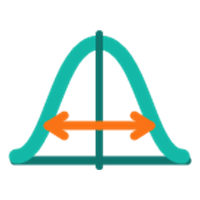
Standard deviation is sensitive to outliers because it involves squaring the distance of each point from the mean. A single extreme value can significantly increase the result, indicating high variability.
Can I paste data directly from Excel or CSV files?
Yes. The input field supports numbers separated by commas, spaces, or line breaks, making it compatible with data copied from most spreadsheet applications and text editors.
Why is the variance result different from the standard deviation?
Variance measures the average squared deviation from the mean in squared units. Standard deviation is the square root of variance, returning the measurement to the original unit for easier interpretation.